
Throttle Settings
The Settings screen lets you customize the Throttle app to suit your operating style. Settings are grouped into sections — Throttle, Account, Layout, and Appearance — reachable from the section nav on the side.
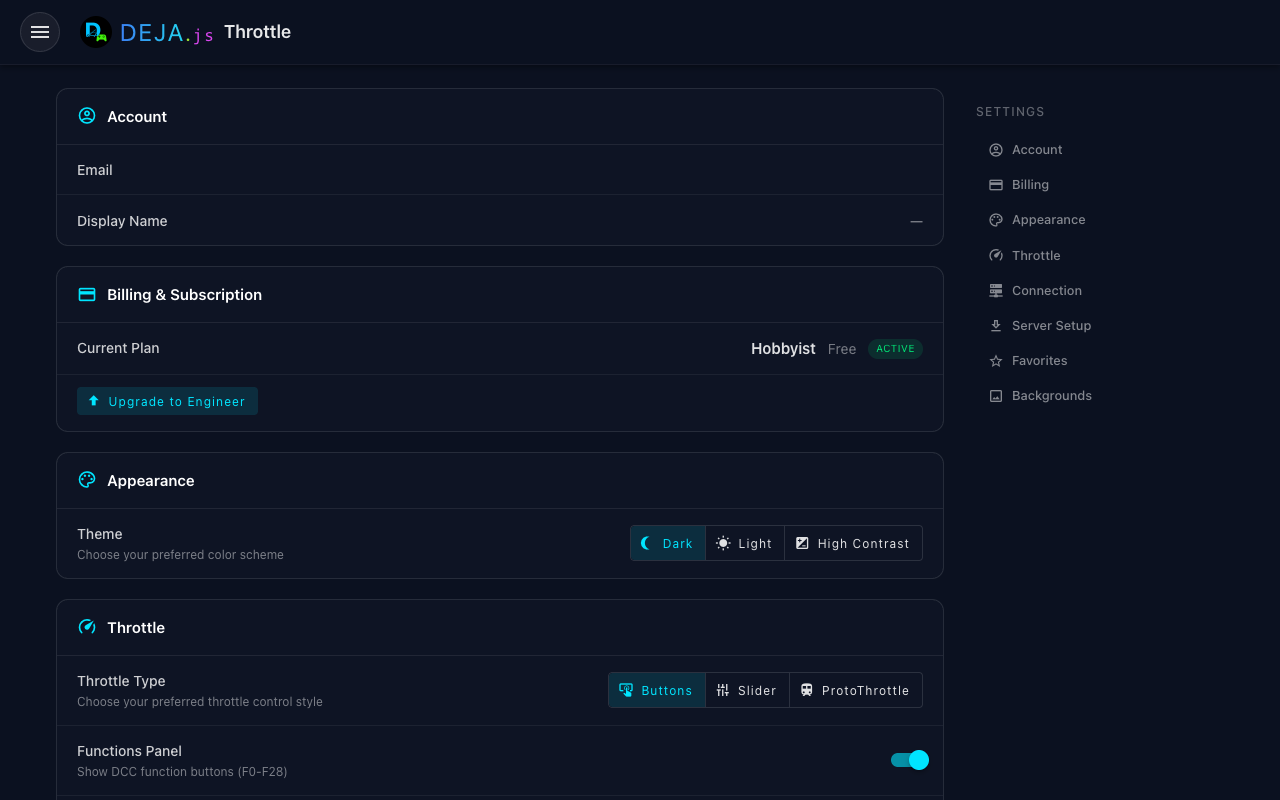
Throttle
Controls that shape how the single-locomotive Throttle Control screen looks and behaves:
- Throttle Type — choose your preferred control style:
- Buttons — incremental speed buttons (the default).
- Slider — a vertical speed slider with a forward/reverse lever.
- Dashboard — a skeuomorphic control-stand with an LCD readout, notch markers, brake, and headlight knobs.
- Proto — a lever-based faceplate inspired by the ProtoThrottle handheld.
- Speed Display — show the current speed as a round Dial gauge (an analog gauge cluster on the Proto throttle) or a Digital number readout. Also switchable in place from the Command Menu's This Page section while you're on a throttle screen.
- Conductor Right Panel — pick which modules fill the right column of the Conductor View — a multi-select, so you can show any or all of: Turnouts, Effects, Signals, Devices, Routes, or Diagram.
- Functions Panel — show or hide the DCC function buttons (F0–F28).
- Consist Info — show coupled-locomotive (consist) information on the throttle.
Account
Manage your DEJA.js account details and sign-out.
Layout
Layout-level options. If your account has more than one layout, a Disconnect Layout action appears here, letting you leave the current layout and choose another from the Connect page. Single-layout accounts stay on their layout and don't see this option.
Appearance
Theme and per-page background options, plus the Quick Menu bottom-navigation editor:
- Theme — the app follows your system light/dark preference and can be switched here.
- Backgrounds — customize the background treatment for individual pages (Home, Turnouts, Roster, Routes, Signals, Effects, Conductor, Connect).
- Pinned Navigation — choose and order the 4 pinned destinations in the bottom navigation bar. The defaults are Conductor, Throttles, and Turnouts, with one slot free for your own pick. You can also edit pins directly from the bar itself — long-press the bar to enter edit mode, or pin items from the More sheet.
The installed app version is shown at the bottom of the Settings screen.