Guide
DEJA.js CloudDEJA.jsCloud

Your layout's command center โ€” manage your roster, configure every turnout, effect, signal, and route, then control it all from any device.

Video walkthrough coming soon

Make sure you've completed the Getting Started guide โ€” your server should be running and your command station connected.

Dashboard

Your home base. The dashboard shows device connection status, command activity, layout info, and a QR code to launch Throttle on your phone.

๐Ÿ”ŒDevice connection list with live status indicators
๐Ÿ“ŠCommand activity chart showing recent traffic
๐Ÿท๏ธLayout info card with name, server IP, and port
๐Ÿ“ฑQR code to open Throttle on any device
Cloud dashboard

Add a Device

Connect your DCC-EX CommandStation or other hardware. Navigate to Devices, add a new device, and select the serial port.

๐Ÿ–ฅ๏ธSupport for DCC-EX, microcontrollers, and serial devices
๐Ÿ”ŒAuto-detect available serial ports
๐ŸŸขReal-time connection status with reconnect
๐Ÿ”„Drag-to-reorder devices in priority order
Cloud device management

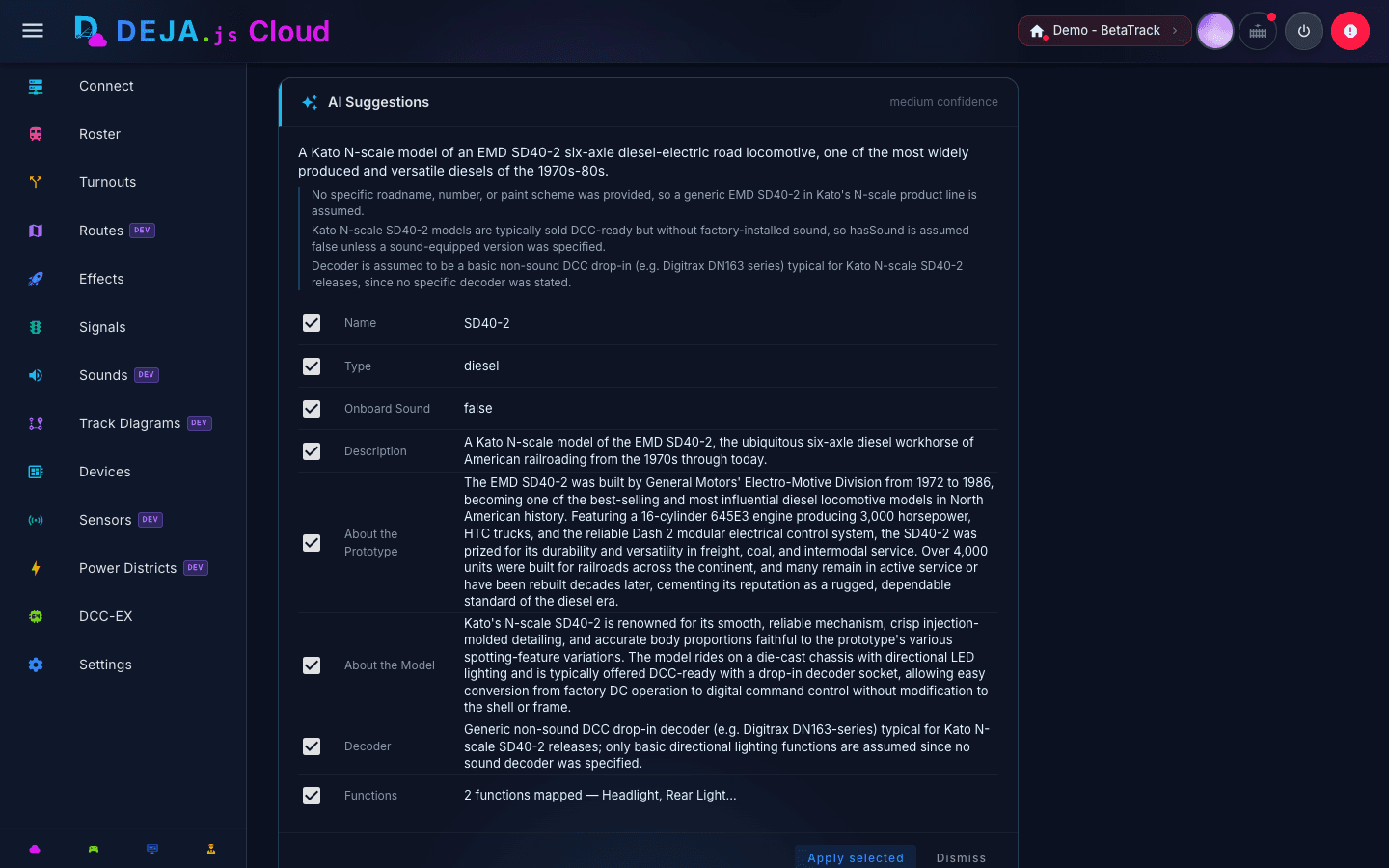
Add a Locomotive

Build your roster. Tap the add button, enter a DCC address and name, choose a road name, and your loco is ready to drive.

๐Ÿ”ขDCC address (1โ€“9999) โ€” 2 or 4-digit
๐Ÿท๏ธName and road name with color coding
๐Ÿ”ŠToggle onboard sound for sound decoders
๐ŸŽ›๏ธConfigure decoder functions F0โ€“F28 with labels and icons
๐Ÿš‚Build multi-unit consists with direction and trim
Cloud locomotive roster

Configure a Turnout

Define each switch on your layout. Set the name, DCC index, straight and divergent positions, and assign it to a device.
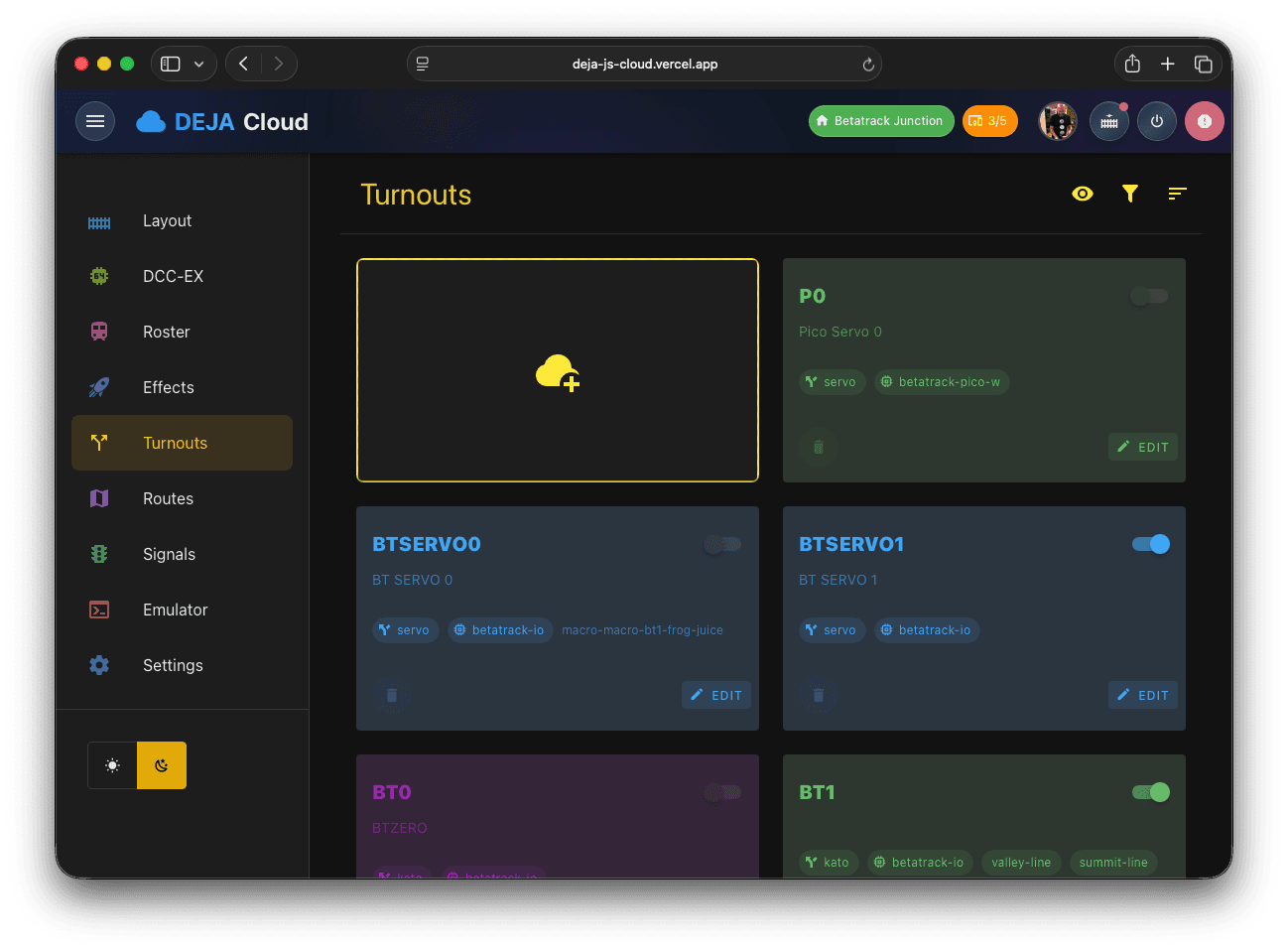
๐Ÿ”€Name, index, and straight/divergent position values
โš™๏ธType: Kato, Servo, Tortoise, or DCC
๐Ÿ”—Assign to a device and optionally link an effect
๐Ÿท๏ธOrganize with color coding and tags
Cloud turnout configuration

Add an Effect

Bring your layout to life with lights, sounds, LEDs, and macros. Choose an effect type, assign a device and pin, and it's ready to trigger.
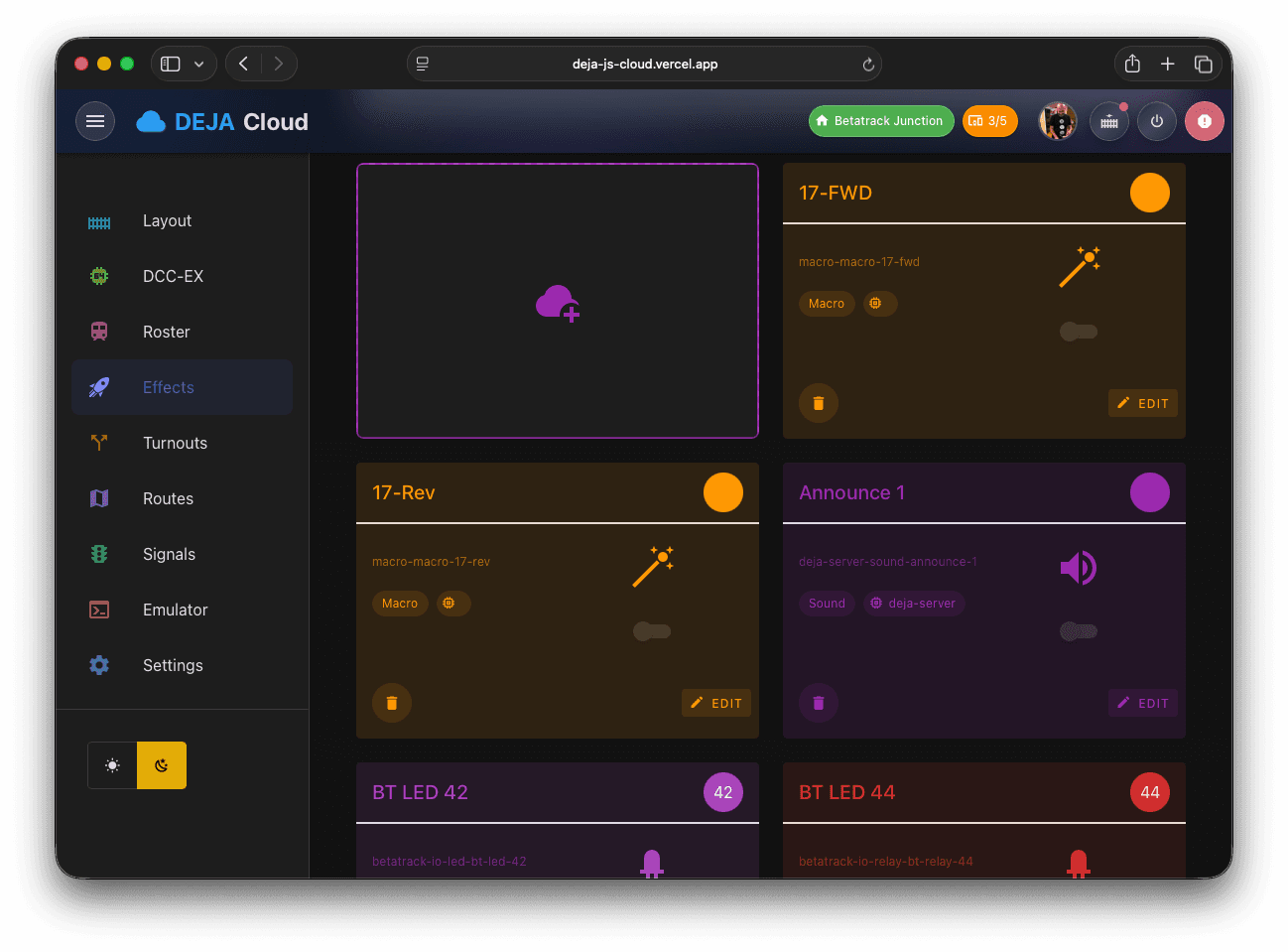
๐Ÿ’ก10 types: Light, LED, Street Light, Relay, Sound, Macro, IALED, and more
๐Ÿ”—Assign to a device and GPIO pin
๐Ÿ”ŠUpload sound files for audio effects
๐Ÿ‘คMark effects as guest-accessible for visitors
Cloud effects management

DCC-EX Console

Send commands directly to your CommandStation. The built-in console shows real-time output, quick-access buttons for common operations, and a cheat sheet for the full command set.

๐Ÿ“บLCD terminal with live DCC-EX output stream
๐ŸŽ›๏ธQuick-access grid for power, stop, reset, and more
๐Ÿ“–Built-in command cheat sheet with syntax examples
๐Ÿ”ŒConnection status and DCC-EX version display
DCC-EX console
Feature Reference

Everything in Cloud

Beyond the basics, Cloud gives you full control over every aspect of your layout. Configure it here, control it from Throttle.

Roster

Your fleet, fully configured

Manage every locomotive on your layout. Set DCC addresses, configure decoder functions, build multi-unit consists, and sync your roster to DCC-EX.

Roster desktop view
๐Ÿ”Search by name, address, or road number
๐ŸŽ›๏ธConfigure F0โ€“F28 with custom labels and icons
๐Ÿš‚Build consists with direction and speed trim
๐Ÿ”„Two-way sync with DCC-EX command station
๐Ÿ“ฅImport existing roster from your command station
๐Ÿš‚

Illustration coming soon

Custom graphic for roster